Kids Learn to Read
Intellijoy Educational Games for KidsEducational
4.3271.00 Reviews
- Version
- 3.9.2
- Installs
- 100.00K
- Age Rating
- Everyone
Screenshots
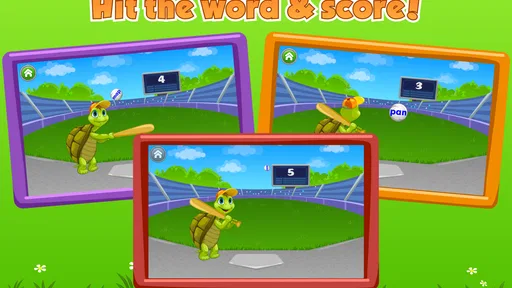
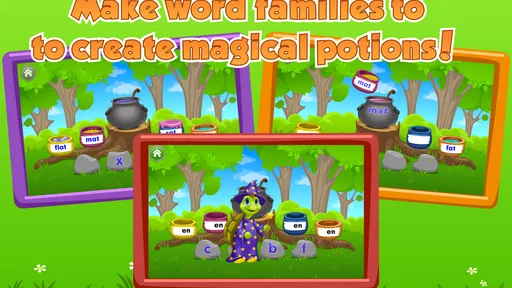
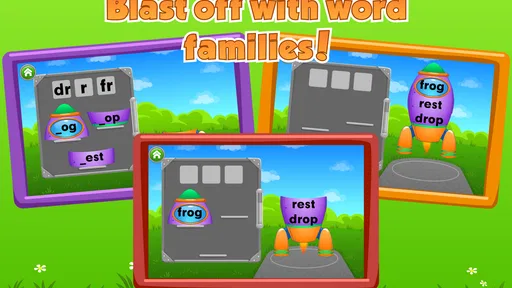
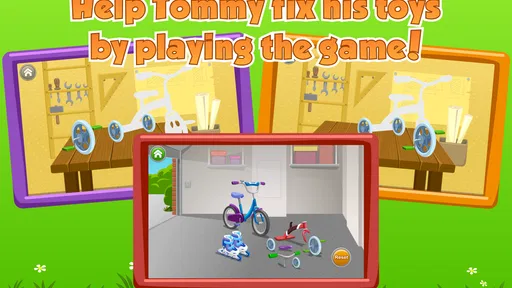
Our Review of Kids Learn to Read
 Analysis by Appyee
I’d choose a first reading app by asking what a child needs to practise right now, how much adult guidance the family wants to provide, and whether the activity can sit comfortably alongside books and everyday conversation. Kids Learn to Read is aimed at early literacy, so it makes the most sense when a child is beginning to connect letters and sounds or is ready to try simple words. It is less convincing as a complete reading course for a child who already reads fluently or needs instruction well beyond the basics.
That distinction matters because a game can make practice feel inviting, but it cannot replace the varied experience of sharing a story, talking about what a word means, and letting a child try reading aloud. I would treat this as a focused practice option: useful for a short activity when a child is in the mood to tap and listen, and most valuable when a grown-up occasionally connects that play to a printed book or a word noticed around the home.
Who is likely to get the most from it
The best fit is a young learner who benefits from repetition and clear sound-to-letter practice, especially if sitting down with a workbook tends to feel like a chore. The game format can lower the pressure: a child can explore a task, hear a response, and try again without every mistake becoming a correction from an adult. I would also consider it for a parent who wants a simple way to add a little literacy practice to an existing routine, rather than replace that routine with a screen.
It may be less suitable for a child who needs a highly tailored teaching plan, substantial help with reading comprehension, or material that keeps pace with more advanced independent reading. In those cases, a teacher’s guidance, a carefully chosen book, or a broader learning resource may do more. A child who dislikes touch-screen activities may also get more from letter tiles, drawing, or reading together than from a game, however approachable its presentation is.
A practical way to fit practice into a day
One realistic use is a brief turn after breakfast while an adult is nearby: let the child try an activity, listen to the sounds, then ask them to find a matching letter or word on a cereal box or in a picture book. That small bridge from screen to real print is more useful than treating a completed game as proof that a skill has been mastered. If the child is tired or frustrated, I would stop rather than push through; keeping practice positive matters more than finishing a session.
Another helpful approach is to let the child lead the tapping while the adult listens for patterns. If a sound is confusing, pause and say it together, then look for another familiar example in conversation. This makes the app a prompt for shared practice instead of a digital babysitter. It also gives the adult a chance to notice whether the child is recognizing a sound independently or simply remembering where to tap.
How it sits beside other learning options
Compared with alphabet videos, an interactive game can invite a child to respond rather than only watch. Compared with flashcards or paper activities, it can offer sound feedback without an adult having to supply every prompt. Those formats still have advantages: a book gives richer language and story context, while physical letters can make it easier to move pieces around and talk through a word together. I would use the app for focused practice, not as a substitute for either.
Families comparing early-reading games should look beyond bright artwork and ask whether the activity encourages a child to hear, say, and recognize sounds, and whether an adult can tell when help is needed. In this case, the audio feedback is a practical strength, while the reported parent progress section may help families keep an eye on learning. I would still check in directly: an encouraging progress indicator is not the same as hearing a child use a sound or word in a new context.
What to consider before choosing
The game costs $2.99, so the decision is less about committing to a subscription and more about whether this particular kind of practice suits the child. Its Everyone age rating is reassuring as a basic content signal, but I would still set expectations about screen time and stay close enough to help a young child navigate. It was released on May 9, 2011, and its current version is 3.9.2; the developer is Intellijoy Educational Games for Kids, whose focus is educational games for children.
It has an average rating of 4.3 from around 1,200 ratings, with 271 written reviews and over 100,000 installs. Those figures suggest that many families have tried it, but they cannot tell me whether its activities match a particular child’s reading level or temperament. I would make that call by watching how the child responds: are they listening, attempting the task, and staying curious, or are they tapping through without engaging?
Getting Started with Kids Learn to Read
From the moment you open Kids Learn to Read, you’re greeted with a vibrant, kid-friendly interface. Everything is intuitive, which means your child can navigate through the app with minimal help from you. The app is designed to be engaging, using bright colors and cheerful characters that instantly grab attention.
The setup is straightforward. After a quick sign-up process, you're in! The app doesn’t bombard you with ads or unnecessary pop-ups, which is a huge plus when considering apps for children. Safety and simplicity are clearly top priorities here.
Features That Stand Out
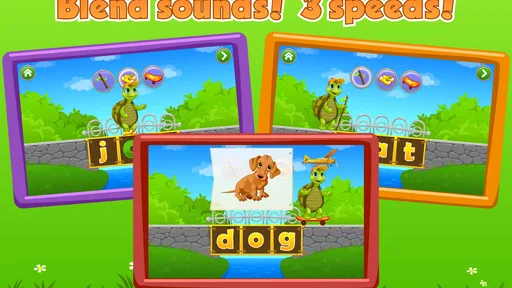
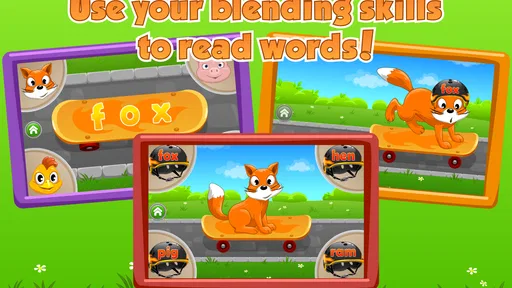
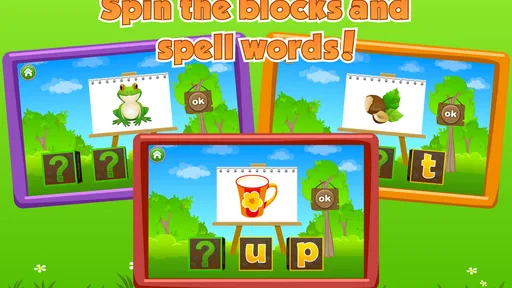
One of the standout features of this app is its structured approach to reading. It breaks down the learning process into manageable chunks, which is perfect for young learners. The app offers a variety of activities, from phonics games to simple word-building exercises. It’s designed to grow with your child as they progress from recognizing letters to forming words.
Another feature worth mentioning is the audio support. As kids tap on letters or words, they get immediate auditory feedback. This not only reinforces learning but also keeps them engaged. It's like having a personal tutor right there with them!
Learning Through Play
What I love most about Kids Learn to Read is its ability to teach through play. The games are cleverly designed so that children are learning without even realizing it. They’re having fun, and simultaneously, they’re picking up essential reading skills. The app employs a reward system that keeps motivation high. As kids complete tasks, they earn stars and unlock new levels, which adds a layer of excitement to their learning journey.
The app also includes a section for parents, which provides insights into your child's progress. You can see what areas they’re excelling in and where they might need a little extra help. It’s a neat feature that keeps you in the loop without being intrusive.
Room for Improvement
While Kids Learn to Read hits many marks, there's always room for growth. For instance, the app could benefit from a little more variety in its game options. Kids thrive on new experiences, so adding fresh games or themes could keep them engaged longer.
Additionally, while the app does a great job at the basics, expanding its content to cover more advanced reading skills would be a fantastic addition. This way, it can continue to be a valuable resource as kids advance in their reading skills.
Final Thoughts
Overall, Kids Learn to Read is a solid choice for parents looking to give their children a head start on reading. It's engaging, educational, and easy to use, which checks off all the boxes in my book. Sure, there are areas where it could grow, but what it offers is already quite impressive.
If you're in the market for a reading app that combines fun with learning, give Kids Learn to Read a try. It might just be the companion your child needs on their reading adventure!
My recommendation for a first reading game
In short, I’d pick this for a child who is still building the foundations and enjoys learning by doing. Keep it as one tool among several: short turns in the game, a little conversation about the sounds, and regular time with actual stories make a more balanced routine than relying on any one format. The app’s phonics and word-building focus gives it a clear role, but its value depends on the child’s stage and whether they remain engaged.
If you are deciding between this and a free video, a set of flashcards, or a more comprehensive literacy program, think about the kind of support you need. A video may be easier for passive watching, cards can be adapted on the spot, and a broader program may suit a learner who needs a longer progression. I would choose this game when a child responds well to tapping, listening, and repeating; I would skip it when those interactions feel like friction or when the child needs deeper reading work.
The most useful test is simple: sit with the child for a few turns and see what happens after the sound plays. Do they try to say it, recognize it again, or connect it to a word elsewhere? If so, the app can give you a practical starting point for continued practice. If they only chase rewards or lose interest quickly, move on without treating that as a failure—the right learning format is the one that helps this particular child stay curious.
Verdict
Strengths of Kids Learn to Read
- Engaging and colorful interface.
- Interactive phonics-based activities.
- Supports multiple learning levels.
- Available offline for convenience.
- No in-app purchases or ads.
Limitations of Kids Learn to Read
- Limited content variety.
- Requires parental guidance.
- No progress tracking feature.
- Sound quality could be improved.
- Not suitable for older kids.
Other Releases by Intellijoy Educational Games for Kids
View All
Kids Numbers and Math
Educational4.1

Kids Learn Letter Sounds
Educational4.3

Kids Learn Shapes 2
Educational4.3

Kids Telling Time
Educational4.2
Similar Picks in This Category
View All
Little Panda Policeman
BabyBus4.0

Monster Trucks Game for Kids 2
Raz Games4.1

Little Panda's Chinese Recipes
BabyBus4.4

Little Panda's Restaurant
BabyBus4.4

Little Panda's Ice Cream Games
BabyBus4.3

Baby Panda Care
BabyBus3.8
Frequently Asked Questions
What age group is Kids Learn to Read suitable for?
Kids Learn to Read is designed for children aged 3 to 7. The app uses engaging activities to teach early reading skills, making it ideal for preschoolers and early elementary students. It offers age-appropriate lessons that progress with the child's learning pace, ensuring they are neither too easy nor too challenging.
Does Kids Learn to Read require an internet connection?
Kids Learn to Read primarily functions offline, making it convenient for on-the-go use without needing internet access. However, some features, such as updates or additional content downloads, might require a connection. This ensures uninterrupted learning in areas without reliable internet service.
Are there in-app purchases or ads in Kids Learn to Read?
The app may include in-app purchases, allowing you to unlock additional content or features. It is designed to be child-friendly, minimizing ads to ensure a safe and distraction-free learning environment. It's advisable to check the settings to disable any purchasing options if you want to avoid accidental purchases.
How does Kids Learn to Read support different learning styles?
Kids Learn to Read incorporates various educational methods to cater to different learning styles. It includes visual aids, interactive games, and audio instructions to engage auditory, visual, and kinesthetic learners. This multi-sensory approach helps children grasp reading concepts more effectively by appealing to their preferred learning modalities.
Is there a parental control feature in Kids Learn to Read?
Yes, Kids Learn to Read includes a parental control feature, allowing parents to monitor and manage their child's app usage. You can set time limits, track progress, and customize learning paths to suit your child's needs. This feature ensures a balanced approach to screen time and learning.
Play our best games!


